YouTube Video Downloader
Download any YouTube video, Short, or playlist as an MP4 — pick your quality, click once, and it's on your computer in seconds.
Overview
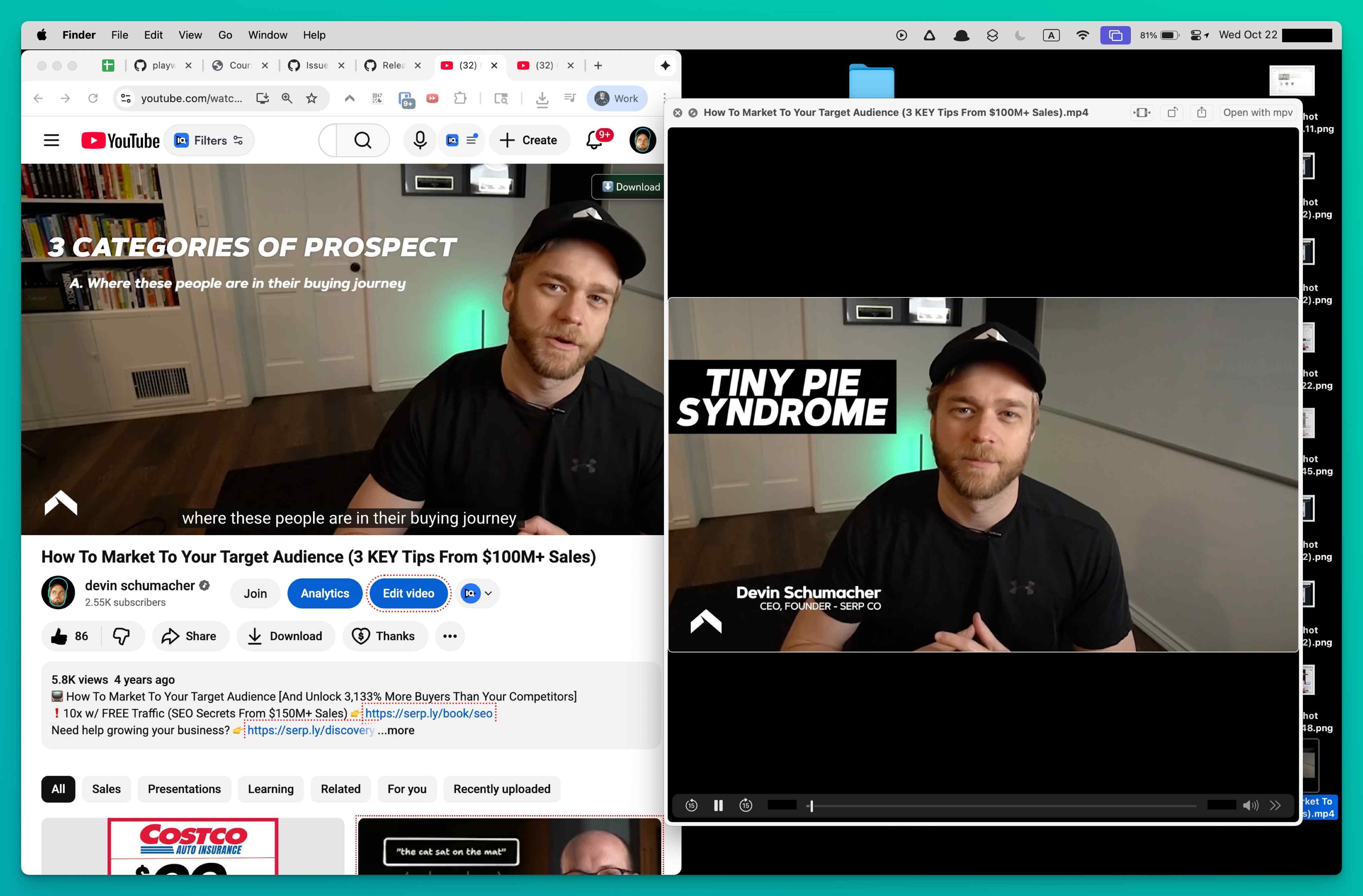
The perfect tutorial, a lecture needed for class, or a music video for a flight. YouTube won't let you save any of it. Online converter sites are a minefield of pop-ups and fake download buttons. This extension skips all of that. Install it, browse YouTube normally, and a download button appears on every video. Click it, pick your quality (up to 4K when available), and the MP4 saves straight to your computer. It works on regular videos, Shorts, entire playlists, and YouTube players embedded on other websites.
The extension handles everything behind the scenes. It grabs the best available video and audio, combines them into a single ready-to-play file, and drops it in your downloads folder. Queue up to three downloads at once with live progress tracking, and they keep running in the background while you browse other tabs. Need a whole playlist? Queue every video and let it work through them one by one.
Everything stays private. Downloads happen locally on your device, nothing gets uploaded anywhere, and there's zero tracking or analytics. Try 3 free downloads to see how it works, no credit card needed.
Why It Exists
- Archive Shorts, playlists, embedded players, and unlisted review links in their original quality without screen-recording workarounds.
- Get ready-to-edit MP4 files by automatically merging YouTube's split adaptive audio and video streams.
- Keep your viewing and download activity completely private with on-device decryption, local processing, and no telemetry.
- Save hours on batch workflows with playlist queuing, background processing, and one-click yt-dlp command generation.
Key Features
- Detects YouTube watch pages, Shorts, playlists, and embedded players automatically
- Decrypts signature-ciphered and n-parameter-throttled stream URLs in real time
- Parses DASH manifests and HLS playlists to surface every available quality tier
- Merges separate video-only and audio-only adaptive streams into a single MP4 or WebM
- Lists all available resolutions from 360p to 4K with file-size estimates before download
- Remembers your preferred quality setting and applies it automatically on future downloads
- Queues up to three simultaneous downloads with live progress, speed, and ETA tracking
- Runs downloads in the background so you can browse other tabs without interruption
- Supports playlist downloads with sequential queuing of individual videos
- Generates ready-to-run yt-dlp commands for advanced CLI and batch workflows
How It Works
- Install the extension: Add YouTube Downloader to Chrome, Edge, Brave, or Opera and activate your license. The extension integrates directly into YouTube pages.
- Browse YouTube normally: Navigate to any watch page, Shorts feed, playlist, or embedded player. The extension detects playable content and decrypts the adaptive stream URLs automatically.
- Pick your quality and download: Click the download button to see every available resolution with file-size estimates. Select your preferred quality and the extension fetches, merges, and saves the final MP4.
- Edit or archive offline: Your finished MP4 or WebM file is ready in your downloads folder. Use it for editing, presentations, research, or offline viewing on any device.
Reviews
- Finally handles encrypted YouTube streams (5/5): We archive client livestreams and Shorts. This is the only tool that keeps up with YouTube's encryption changes and still hands back perfect MP4 files. - Caleb Whitford
- A must-have for creative briefs (4.9/5): The quality list and file-size estimates mean no surprises, and the three-download queue lets me prep assets for edits in one sitting. - Natasha Yuen
- Great for research teams (4.8/5): Embedded videos on partner portals used to be a pain. This extension detects them instantly and finishes the background conversion while we keep browsing. - Simon Greaves
Platform Support
Browsers
- Chrome
- Edge
- Brave
- Opera
Operating Systems
- Windows
- macOS
- Linux
Supported Content
- YouTube watch pages, Shorts, and playlist videos
- Embedded YouTube players on third-party sites
- Livestream replays after on-demand version is available
- Age-restricted and unlisted videos accessible via your session
- DASH and HLS adaptive streams merged into MP4 or WebM
Not Supported
- DRM-protected purchased movies and TV episodes
- Active livestreams still broadcasting
- Firefox (Manifest V3 compatibility pending)
- Safari and mobile browsers
- YouTube Music premium audio-only streams
Privacy and Permissions
Supported regions: Worldwide.
Limitations:
- DRM-protected YouTube purchases (movies, TV episodes) cannot be downloaded.
- Active livestreams must finish broadcasting and have a replay available before download.
- Available quality depends on the original upload resolution and YouTube's encoding options.
- DASH stream merging requires the original tab to remain open until the MP4 is finalized.
- YouTube frequently rotates cipher algorithms, so keeping the extension updated is important.
- Firefox support depends on Manifest V3 compatibility in the current browser build.
- Safari and mobile browsers are not supported.
- YouTube Music premium-only audio streams are not accessible.
Permissions:
- downloads: Writes the merged MP4 or WebM files directly to your downloads folder and tracks progress for simultaneous jobs.
- storage: Saves licence activation, preferred quality settings, and queue history locally so everything persists between browser sessions.
- activeTab: Injects the downloader UI into the YouTube page you're viewing, including Shorts feeds and embedded players.
- tabs: Monitors when you switch videos or open new players so the extension can refresh available quality options automatically.
- scripting: Reads player configuration data to decrypt stream URLs, fetch manifests, and merge DASH or HLS segments into a final MP4.
- notifications: Sends completion, error, and licence prompts without forcing you to keep the popup open during longer conversions.
FAQ
Does it work with YouTube Shorts and embedded players?
Yes. The extension detects Shorts feeds, standard watch pages, and embedded players on third-party sites, then serves the same quality list in each case.
Can I download an entire playlist at once?
Yes. Open any YouTube playlist and the extension will detect all videos in the list, letting you queue them sequentially. Each video downloads with your preferred quality setting applied automatically.
Can I download a livestream while it is broadcasting?
The downloader supports livestream replays, but it needs the on-demand version to exist first. Once the replay is posted it converts the HLS stream into a single MP4.
Will it download movies or episodes I purchased on YouTube?
No. DRM-protected purchases remain off limits. The downloader only works on videos you can already view without digital rights management.
How does the DASH stream merging work?
YouTube serves high-quality video as separate video-only and audio-only streams via DASH. The extension fetches both streams in parallel, muxes them into a single MP4 container, and delivers one ready-to-play file.
How many downloads can run simultaneously?
Up to three downloads can be active at once. Each item shows progress, speed, and an interrupt button so you can prioritise what matters.
Do I need to keep the video tab open the whole time?
For long conversions we recommend keeping the original tab open. That ensures the stream segments stay available until the MP4 is finalised.
What is the yt-dlp command generator?
For power users, the extension can generate a ready-to-run yt-dlp command for the current video, including format selection and output template flags. Copy the command and run it in your terminal for advanced batch workflows.
Which browsers are supported?
Chrome and Chromium-based browsers like Edge, Brave, and Opera are supported. Make sure you're on an up-to-date build for Manifest V3 compatibility.
Is this legal?
DISCLAIMER: We are not attorneys and do not offer legal advice. Laws vary by country and platform. For any legal question please consult a qualified legal professional.
We give you full control over download speeds because we believe users should decide how they use their software.
That said, here are a few widely accepted best practices for safe, responsible downloading:
-
Only download content you created, own, or have explicit permission from the rights holder to access.
-
Protect your personal data by respecting platform rules and rate limits with reasonable download speeds to avoid automated abuse systems putting your account at risk.
-
Protect your privacy by using a reputable VPN for IP protection before initiating downloads — this is the VPN we recommend & use.
Links
Related Entries
Stop losing movies when streaming mirrors go down. Save them as MP4 files you keep forever.