TikTok Video Downloader
Save TikTok videos straight from your feed as MP4 — one click while you scroll, no shady websites, no copy-pasting links.
Overview
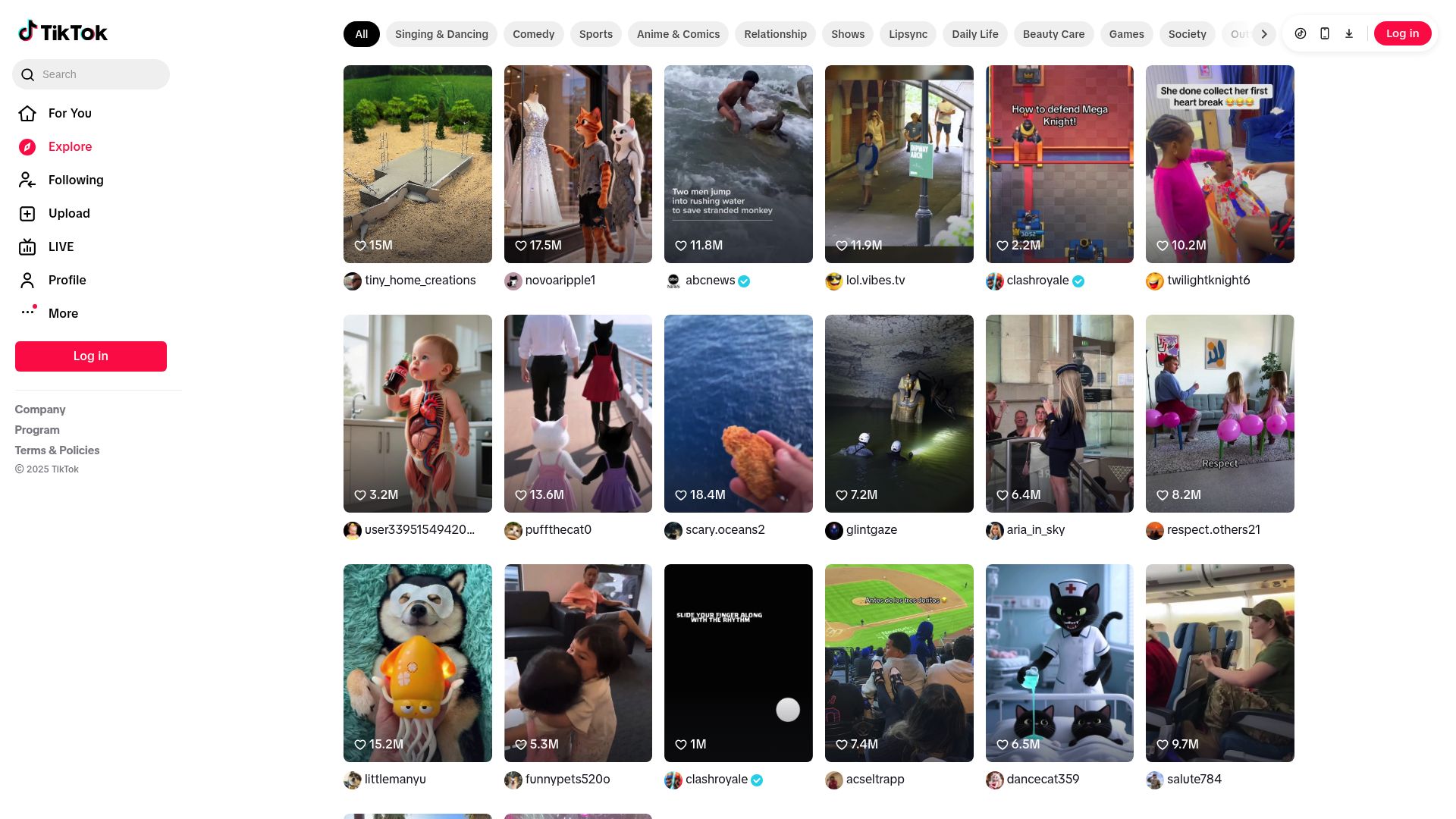
TikTok's built-in save either slaps a watermark on the video or doesn't work at all. The usual workaround is copying the link into a random website plastered with ads and suspicious download buttons. This extension puts a download icon right on every TikTok video as you scroll. Click it, and the original MP4 lands in your downloads folder while you keep browsing. It works on your For You feed, Following feed, creator profiles, and direct video links.
The extension grabs the same video file TikTok is already playing in your browser, so there's no quality loss and no re-encoding. It clearly marks which posts are downloadable videos versus slideshows or image-only content, so you never waste a click. Files are named with the creator's handle and video ID, making it easy to stay organized when saving from multiple accounts.
Credentials stay safe. The extension never stores or shares login info, and all downloads happen locally in your browser. Works on Chrome, Edge, Firefox, Brave, and Opera. Try 3 free downloads, no credit card required.
Why It Exists
- Capture TikTok inspiration as you scroll without leaving the site or copying URLs to shady third-party tools.
- Keep offline copies for editing, client reports, or travel with zero extra steps and no re-encoding quality loss.
- Download safely inside your own browser using your legitimate TikTok session with no credentials shared externally.
- Stay organized with automatic creator-handle file naming for multi-account content archiving.
Key Features
- Injects download buttons into For You feed, Following feed, profile pages, and video detail views
- Uses your authenticated TikTok session to request video files securely and reliably
- Identifies downloadable videos versus slideshows or image-only posts at a glance
- Saves MP4 files directly through the browser without re-encoding or third-party sites
- Captures the same video stream TikTok serves to its own player for consistent quality
- Labels non-downloadable content clearly so you never waste time on unsupported posts
- Preserves TikTok watermarks as-is when the platform applies them to the source video
- Downloads start with a single click while you keep scrolling through your feed
- File naming includes creator handle and video ID for organized archiving
- Supports Chrome, Edge, Firefox, Brave, and Opera on desktop via Manifest V3
How It Works
- Install the extension: Add TikTok Downloader to Chrome, Edge, Firefox, Brave, or Opera and activate your license.
- Browse TikTok normally: Scroll through your For You feed, Following feed, or any creator profile. Download buttons appear on supported video posts automatically.
- Click to download: Tap the download icon on any video and the MP4 saves directly to your downloads folder while you keep browsing.
- Use your files offline: Open the saved MP4 on any device for editing, presentations, client reports, or offline viewing during travel.
Reviews
- Downloads right from the feed (5/5): I click the button while scrolling and the MP4 lands instantly. No copy/paste or switching sites. - Riley Maddox
- Reliable for client research (4.9/5): Buttons show what's downloadable and respect my login. Makes collecting reference clips easy. - Amina Joseph
- Keeps my idea library stocked (4.8/5): I grab trends as I see them and watch offline later. The extension feels like part of TikTok. - Leo Wu
Platform Support
Browsers
- Chrome
- Edge
- Firefox
- Brave
- Opera
Operating Systems
- Windows
- macOS
- Linux
Supported Content
- TikTok video posts from For You, Following, and profile feeds
- Individual TikTok video detail pages via direct links
- Private videos accessible through your authenticated session
- Standard MP4 video streams as served by TikTok's web player
Not Supported
- Slideshow and image-only posts
- TikTok mobile app (extension is desktop browser only)
- Safari and mobile browsers
- Content you do not have access to view
- Watermark removal (videos saved as TikTok delivers them)
Privacy and Permissions
Supported regions: Worldwide.
Limitations:
- Only video posts are supported; slideshows and image-only posts cannot be downloaded.
- Downloads capture the video as TikTok serves it, including any watermarks applied by the platform.
- You must be logged in and able to view a video in your browser to download it.
- One download at a time; queue-based batch downloading is not currently supported.
- Video quality depends on what TikTok's web player serves for the desktop site.
- Safari and mobile browsers are not supported.
- TikTok Live streams cannot be downloaded in real time.
Permissions:
- downloads: Saves each TikTok MP4 directly to your downloads folder and keeps the progress notification accurate.
- storage: Stores licence activation and preference flags locally so download buttons stay enabled between sessions.
- activeTab: Injects download icons into the TikTok page you are actively viewing and captures the relevant video data.
- tabs: Monitors navigation between feed, profiles, and detail pages so buttons update as you browse.
- scripting: Reads TikTok's page data, detects playable videos, and retrieves the MP4 URL using your session headers.
- notifications: Sends completion and error notifications so you know when a download finishes without leaving the feed.
FAQ
How do I download a TikTok video with this extension?
Browse TikTok normally. When you see the download icon on a video, click it and the MP4 will save directly to your downloads folder while you keep scrolling.
Does it remove the TikTok watermark?
The downloader saves exactly what TikTok serves. If TikTok applies a watermark, the saved video will include it.
Can I download private or restricted content?
You can only download videos you can already watch with your account. The extension uses your authenticated session and respects TikTok's access controls.
Does it work with slideshows or image posts?
No. The extension recognises slideshows or non-video posts and indicates that they cannot be downloaded. Only standard TikTok video posts are supported.
What quality will the downloaded video be?
The extension captures the same MP4 stream TikTok delivers to its web player, so you get the full quality available on the desktop site without any re-encoding.
Can I queue multiple downloads?
Downloads are initiated one at a time. Click the download icon on each video you want to save as you scroll through your feed.
How are downloaded files named?
Files are named with the creator handle and video ID, making it easy to organize content from multiple accounts.
Is my account data private?
All detection and downloading happen locally. The extension never stores or transmits your credentials and only checks your licence status.
Which browsers are supported?
Builds are available for Chrome, Edge, Firefox, Brave, and Opera on Windows, macOS, and Linux desktops.
Is this legal?
DISCLAIMER: We are not attorneys and do not offer legal advice. Laws vary by country and platform. For any legal question please consult a qualified legal professional.
We give you full control over download speeds because we believe users should decide how they use their software.
That said, here are a few widely accepted best practices for safe, responsible downloading:
-
Only download content you created, own, or have explicit permission from the rights holder to access.
-
Protect your personal data by respecting platform rules and rate limits with reasonable download speeds to avoid automated abuse systems putting your account at risk.
-
Protect your privacy by using a reputable VPN for IP protection before initiating downloads — this is the VPN we recommend & use.
Links
Related Entries
Finally download Facebook videos, Reels, and Live replays — just click the button on any video and save the HD file to your computer.
Download Instagram Reels, Stories before they vanish, every slide from carousels, and full-size profile pics — all in original quality.
That viral thought-leadership post with the perfect carousel? It'll be buried in your feed by tomorrow. Save LinkedIn posts and videos before the algorithm moves on.